Hole Is Mine Controls Guide
Master movement, grab/launch, and the bag throw that starts every Incursion.
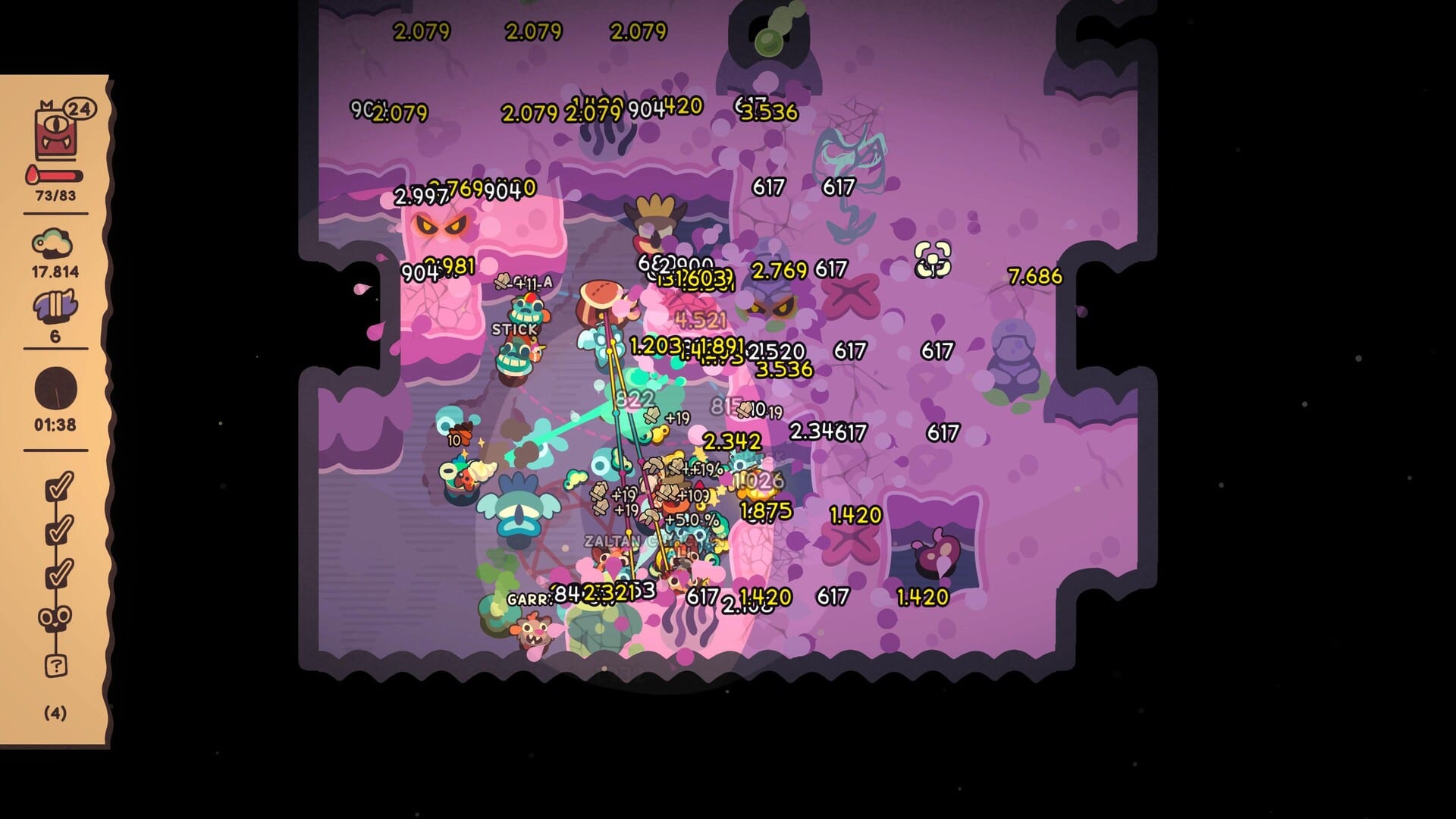
Why controls deserve their own page
Hole Is Mine looks simple—and the verbs are simple—but Incursions fail when players mis-throw the bag or forget that Town already shows the binding list. This page is the overview for keyboard, mouse, and controller play on the August 10, 2026 full Steam release (App 4508020). The game is single-player, ships with full controller support, and is Steam Deck Verified. It is not Roblox and not multiplayer; every tip below assumes one player, one Hole.
If you are brand new, skim this page, then continue in Getting Started. If you already know movement but botch Incursion starts, jump to the bag section and then read How to Incursion.
Keyboard and mouse (default mental model)
- WASD — move your drill-creature hero through Town, Village approaches, and exploration spaces
- Left click — grab and launch objects, Mini’Ohs, and interactable bits in the fantasy physics of the Hole
- Bag throw — commit your prepared team/load into the Hole to begin an Incursion
Those three ideas cover most day-one confusion. Everything else is timing and upgrade readiness, not hidden chord inputs. When a prompt appears, trust it; the UI is written for players who glance away to manage upgrades.
Grab and launch discipline
Left click is not only “pick up.” It is how you stage the world before a dive: lining up what belongs in the bag fantasy, repositioning, and launching into useful angles. New players mash click during panic and scatter their setup. Slow down in Town and early Depths until grab/launch feels rhythmic. That rhythm transfers to controller play once you learn which face button mirrors the click.
Movement tips that save runs
WASD is precise enough for cozy exploration and tense hazard dodging alike. On keyboard, keep your camera attention on the Hole lip when preparing an Incursion so you do not walk past the throw zone. On busy Village rebuild days, clear your path before carrying valuables—cute settlements still have collision. If a depth guide mentions positioning, it assumes you can strafe without fighting the mouse; practice in safe early layers first via Depths Walkthrough.
The Incursion bag throw (do not skip)
Starting an Incursion is the signature action: throw the bag into the Hole. It is deliberately physical. If the bag does not land correctly, you have not started the dive. Common mistakes:
- Throwing before upgrades for your carry Mini’Oh are bought
- Throwing while still grabbing another object
- Ignoring Town’s control reminder and inventing a wrong button on controller
- Treating every throw as mandatory progress instead of a committed spend of readiness
Incursions are the heartbeat of the collect → upgrade → dive loop. They are not a spam button. Read How to Upgrade before you blame controls for a wipe that was really an under-geared team. When Infinite Hole farming begins, the same throw verb applies—see Infinite Hole.
Town control reminder (use it)
Town is not only a shop hub. It shows controls so you can relearn bindings after a break, after switching from Prologue to full game, or after docking a Deck. Make it a habit: after installing, stand in Town and read the prompt list before your first deep dive. After any Steam input overlay change, return to Town instead of guessing mid-Incursion.
Village rebuild goals and secret hunting still use the same verbs; Village and Secrets assumes you already trust movement and grabs.
Controller overview and glyphs
Full controller support means you can play without touching keyboard once the glyphs make sense. The game surfaces controller glyphs in prompts so you are not translating Xbox/PlayStation icons in your head forever. Practical habits:
- Learn which control mirrors left click grab/launch before you enter a dangerous depth
- Learn which control performs the bag throw and practice it in a safe Town-adjacent moment
- Watch glyphs in Town first, not during a boss tentacle panic
- Keep stick sensitivity comfortable; incremental games reward steady movement more than flick aiming
On Steam Deck, Verified status implies the default layout is intended to work. Still, open Steam Input if a glyph does not match your personal layout, then re-check Town prompts. Pair Deck play with the performance notes on System Requirements.
Keyboard vs controller: when to switch
Keyboard and mouse excel when you are reading upgrade trees, comparing 500+ equipment combinations, and clicking through menus quickly. Controllers excel when you settle into Incursion pacing on a couch or Deck. Many players hybridize: menus on keyboard at the desk, dives on controller. Nothing in the design forces one path. Just re-visit Town whenever you swap so glyphs and reminders stay truthful.
Accessibility-minded habits (practical, not medical claims)
- Take breaks between Incursions; the loop invites “one more throw”
- Increase UI scale in Steam Deck desktop/game settings if glyphs feel small
- Use wired controllers if wireless dropout ruins bag timing
- Remap only after you understand defaults—do not remap mid-depth without testing throws
Troubleshooting “controls feel wrong”
- Confirm you are on the full game App 4508020, not an old Prologue-only shortcut mindset
- Re-open Town and read the live prompt list
- Check Steam Big Picture / Deck input profiles for conflicting community layouts
- Verify Vulkan and performance first if input lag is actually frame pacing—see System Requirements
- Re-read Launch Notes if you are mixing Prologue muscle memory with full-game expectations
Practice plan (fifteen minutes)
- Move around Town with WASD or left stick until camera comfort settles.
- Grab and launch a few harmless objects with left click / mirrored button.
- Practice bag throws into the Hole without treating them as must-win Incursions.
- Open an early upgrade screen and return to movement without fumbling.
- Start a deliberate Incursion only after your carry Mini’Oh has a coherent kit.
Where controls meet strategy
Controls get you into the Hole; upgrades decide whether you leave happy. After this page, continue through the Wiki Hub overview, the honest Review if you are still evaluating, and the Guides Hub for depth strategy. Bookmark this Controls page for every friend you onboard—bag throws are the tip they always forget.
Frequently Asked Questions
Quick answers about Hole Is Mine progression and builds.
How do I start an Incursion?
Throw your bag into the Hole. If the bag does not land as an Incursion commit, you have not started the dive—practice the throw in a safe moment first.
What are the basic keyboard controls?
WASD to move, left click to grab and launch, and the bag throw to begin Incursions. Town shows the live reminder list.
Does the game support controllers?
Yes. Full controller support with on-screen glyphs, and the title is Steam Deck Verified.
Why do my Incursions feel weak if controls are fine?
Usually upgrades and timing—not bindings. Specialize a carry Mini'Oh and read the How to Incursion and How to Upgrade guides.
Where can I see bindings again in-game?
Return to Town; it displays control reminders so you do not rely on memory alone.